
HTML (HyperText Markup Language) is the standard markup language used to create and structure web pages. Every website you visit on the internet, from blogs and e-commerce stores to social media platforms, uses HTML as its foundation.
HTML tells web browsers how to display content such as text, images, links, videos, forms, and other elements on a webpage.
Without HTML, web pages would not have structure or content.
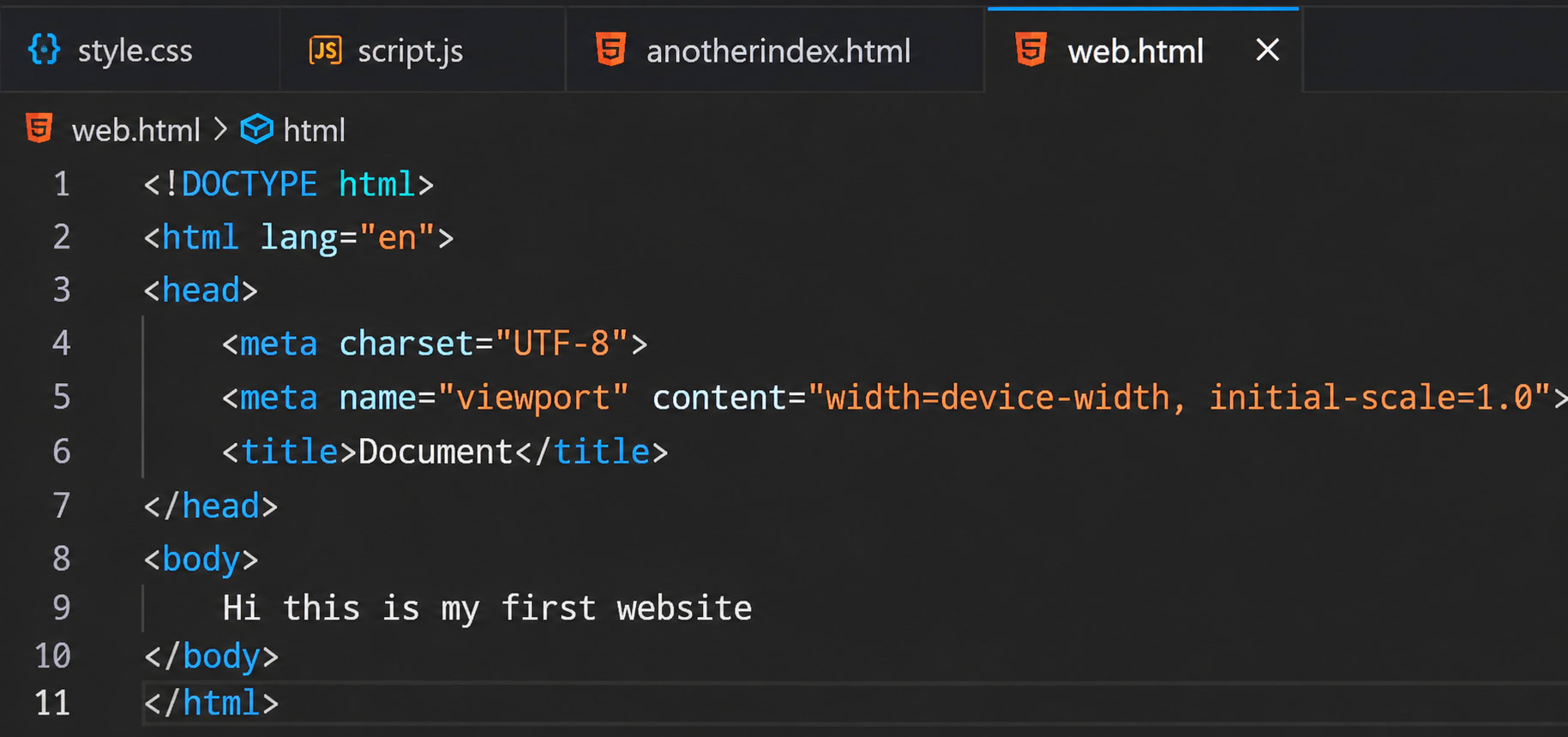
What Does HTML Stand For?#
HTML stands for:
- Hyper
- Text
- Markup
- Language
Let's understand each term.
HyperText#
HyperText refers to text that contains links to other pages or resources.
Example:
<a href="https://example.com">Visit Website</a>
Markup#
Markup means using tags to define and organize content.
Example:
<h1>Welcome</h1>
<p>This is a paragraph.</p>
Language#
HTML is a markup language used to communicate webpage structure to browsers.
Why is HTML Important?#
HTML is important because it:
- Creates webpage structure
- Organizes content
- Supports hyperlinks
- Works with CSS for styling
- Works with JavaScript for interactivity
- Forms the foundation of every website
Basic Structure of an HTML Document#
Every HTML document follows a standard structure.
<!DOCTYPE html>
<html>
<head>
    <title>My First Web Page</title>
</head>
<body>

    <h1>Hello World!</h1>
    <p>This is my first HTML page.</p>

</body>
</html>
Understanding HTML Structure#
1. <!DOCTYPE html>#
<!DOCTYPE html>
This declaration tells the browser that the document uses HTML5.
2. <html> Element#
<html>
</html>
The root element that contains the entire webpage.
3. <head> Element#
<head>
</head>
Contains metadata about the webpage such as:
- Page title
- Character encoding
- SEO metadata
- CSS links
Example:
<head>
    <title>HTML Tutorial</title>
</head>
4. <body> Element#
<body>
</body>
Contains everything visible on the webpage.
Example:
<body>
    <h1>Welcome</h1>
    <p>Learning HTML is fun!</p>
</body>
Common HTML Tags#
Heading Tags#
HTML provides six heading levels.
<h1>Main Heading</h1>
<h2>Sub Heading</h2>
<h3>Section Heading</h3>
<h4>Heading 4</h4>
<h5>Heading 5</h5>
<h6>Heading 6</h6>
Paragraph Tag#
Used for writing text paragraphs.
<p>This is a paragraph.</p>
Output:
This is a paragraph.
Link Tag#
Used to create hyperlinks.
<a href="https://google.com">
    Visit Google
</a>
Image Tag#
Used to display images.
<img src="image.jpg" alt="Sample Image">
Attributes
src→ Image locationalt→ Alternative text
List Tags#
Unordered List#
<ul>
    <li>HTML</li>
    <li>CSS</li>
    <li>JavaScript</li>
</ul>
Output:
- HTML
- CSS
- JavaScript
Ordered List#
<ol>
    <li>Install VS Code</li>
    <li>Create File</li>
    <li>Write HTML</li>
</ol>
Output:
- Install VS Code
- Create File
- Write HTML
HTML Attributes#
Attributes provide additional information about elements.
Example:
<a href="https://example.com">
    Click Here
</a>
Here, href is an attribute.
Another example:
<img src="logo.png" alt="Company Logo">
Attributes:
srcalt
HTML Forms#
Forms collect user input.
Example:
<form>
    <input type="text" placeholder="Enter Name">

    <input type="email" placeholder="Enter Email">

    <button type="submit">
        Submit
    </button>
</form>
Common form elements:
inputtextareaselectbutton
HTML Semantic Elements#
Semantic tags make webpages easier to understand for browsers and search engines.
Examples:
<header>
<nav>
<main>
<section>
<article>
<aside>
<footer>
Example:
<header>
    Website Header
</header>

<main>
    Main Content
</main>

<footer>
    Copyright 2026
</footer>
Advantages of HTML#
Easy to Learn#
HTML has simple syntax.
Platform Independent#
Works on every operating system.
SEO Friendly#
Search engines understand webpage content through HTML structure.
Supported Everywhere#
All modern browsers support HTML.
Free and Open Standard#
No license required.
Limitations of HTML#
Not a Programming Language#
HTML cannot perform calculations or logic.
No Styling#
HTML alone cannot create attractive designs.
No Dynamic Functionality#
Interactive features require JavaScript.
HTML vs CSS vs JavaScript#
| Technology | Purpose |
|---|---|
| HTML | Structure |
| CSS | Styling |
| JavaScript | Functionality |
Example#
HTML → Skeleton
CSS → Appearance
JavaScript → Behavior
Real-World Example#
Imagine building a house:
HTML = Structure of the house

CSS = Paint, furniture, decoration

JavaScript = Electricity, switches, automation
Together they create a complete website.

